
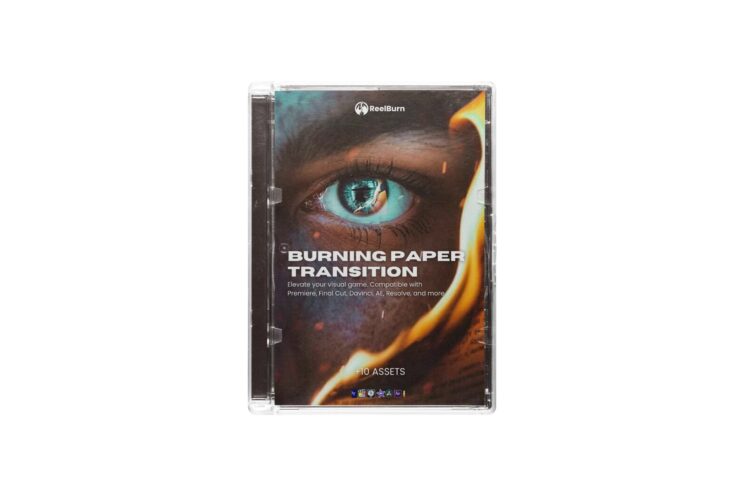
Overview of Burning Paper Transitions
REELBURN Burning Paper Transitions are a category of motion graphics elements designed to bring an extraordinary touch to your videos. These transitions allow you to create seamless and eye-catching transitions between scenes or clips, making your videos more engaging and visually appealing with Film Leaders.
Key Features of Burning Paper Transitions
- High-Quality 4K Resolution: All assets in this package are provided in 4K ProRes 422 Quicktime format. This high-resolution ensures that you have the flexibility to adjust contrast and colors to perfectly match your film’s aesthetic.
- Variety of Options: With over 10 variants of Burning Paper Transitions to choose from, you’ll have the creative freedom to experiment and find the perfect transition that suits your project’s style.
- Unique Sound Effects: Each transition comes with a unique sound, adding an extra layer of immersion to your videos. These sound effects are carefully curated to complement the burning paper visual effect.
- Free Lifetime Updates: When you invest in Burning Paper Transitions, you can rest assured that you’ll receive free lifetime updates. This means you’ll have access to new and improved transitions as they become available, ensuring your video content remains fresh and up-to-date.
- Compatibility: Burning Paper Transitions are compatible with popular video editing software such as Premiere Pro, Final Cut Pro, After Effects, DaVinci Resolve, and more. There’s no need for complex installations or guesswork – simply place the transition above your footage and apply the blending mode specified in the file name.
How to Use Burning Paper Transitions
Using Burning Paper Transitions is a breeze. Follow these simple steps to add these captivating effects to your videos:
- Import the transition of your choice into your video editing software.
- Place the transition above your footage on the timeline.
- Apply the specified blending mode from the file name.
- Adjust the transition’s duration and position as needed.
- Enjoy the seamless and visually striking transition in your video.
You may be interested in these..


Disclaimer
We don't own these files.
All files are hosted on third-party websites.
Everything is obtained from forums, chat servers, content-editing communities, or other websites like this.
Please note that this doesn't grow on trees. If something here really works for you, please support the original author so you can use it for commercial purposes and sell your work.
We don't sell these files.
Our platform isn't run by magic either. Our Premium Members make it possible to keep the website up and running.
We simply give you access to test these high-end assets before you purchase a license.
If you're the author, just go to the DMCA page and request removal.


 Explore more