
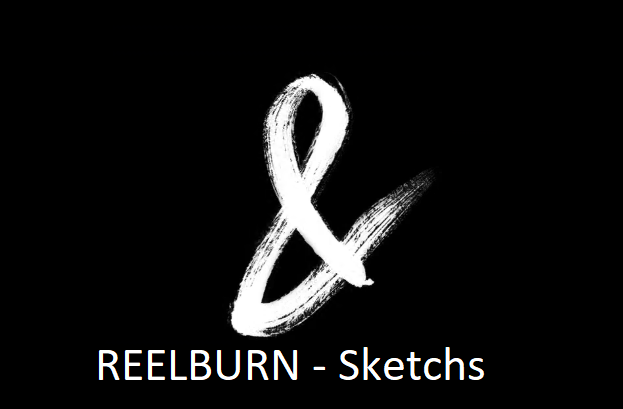
Overview of Sketches
Sketches is a versatile set of video elements designed to elevate your video editing game. Whether you’re a professional video editor or just starting, this collection of elements will add a touch of creativity and professionalism to your projects.
With Sketches, you’ll have access to a variety of elements, including letters, mobile editing numbers, symbols, PNG images, and more. These elements can be seamlessly integrated into your video projects, enhancing their visual appeal and engagement.
Features of Sketches
- Diverse Elements: Sketches provides a wide range of elements to choose from. You can use letters to create dynamic text animations or incorporate mobile editing numbers and symbols for a tech-savvy look.
- High-Quality PNGs: The collection includes high-quality PNG images that you can use as overlays, graphics, or visual accents in your videos. These PNGs are perfect for adding a touch of elegance to your projects.
- Compatibility: Sketches is compatible with popular video editing software like After Effects, Premiere Pro, DaVinci Resolve, and Final Cut Pro X. This means you can seamlessly integrate these elements into your workflow, regardless of your preferred editing platform.
- Ease of Use: Incorporating Sketches into your projects is a breeze. Simply drag and drop the elements into your timeline, adjust their properties, and watch your videos come to life with style and flair.
How to Use Sketches
Using Sketches in your video projects is a straightforward process:
- Select Your Element: Choose the Sketches element that suits your project’s theme and style.
- Drag and Drop: Import the selected element into your video editing software.
- Customize: Adjust the element’s size, position, and animation properties to fit seamlessly into your video.
- Preview and Export: Preview your edited video, make any necessary tweaks, and export your final masterpiece.
You may be interested in these..


Disclaimer
We don't own these files.
All files are hosted on third-party websites.
Everything is obtained from forums, chat servers, content-editing communities, or other websites like this.
Please note that this doesn't grow on trees. If something here really works for you, please support the original author so you can use it for commercial purposes and sell your work.
We don't sell these files.
Our platform isn't run by magic either. Our Premium Members make it possible to keep the website up and running.
We simply give you access to test these high-end assets before you purchase a license.
If you're the author, just go to the DMCA page and request removal.


 Explore more